Getting the substance docker images
Download and load the substance docker image:
$ curl -o ./substance_v26.tar.gz https://www.gpac-licensing.com/downloads/archives/SubStance/24/substance_v26.tar.gz

$ docker load -i ./substance_v26.tar.gz

$ docker image ls
REPOSITORY                          TAG               IMAGE ID       CREATED            SIZE
substance                           latest            abcdefghijkl   1 minute ago       977MB
substance                           v26               abcdefghijkl   1 minute ago       977MB

$ rm ./substance_v26.tar.gz
Basic usage
SubStance supports both DASH and HLS live streams.
Here we assume you have an HLS live stream available for playback at https://content.cdn/live/master-no-sub.m3u8, and that the host running the SubStance instance can publish an updated playlist along the subtitle segments to https://content.cdn/live/*.
$ docker run -p 9998:9998 \
    -e SUBSTANCE_SOURCE=https://content.cdn/live/master-no-sub.m3u8 \
    -e SUBSTANCE_OUTPUT=https://content.cdn/live/master-with-sub.m3u8 \
    -e SUBSTANCE_SUBTITLE_DELAY=-10 \
    -e SUBSTANCE_EBUTT_SEQUENCE_ID=ebu-tt \
    -e SUBSTANCE_WS_PORT=9998 \
    substance:v25
Substance can be configured through several environment variables. Please refer to the list of configuration options.
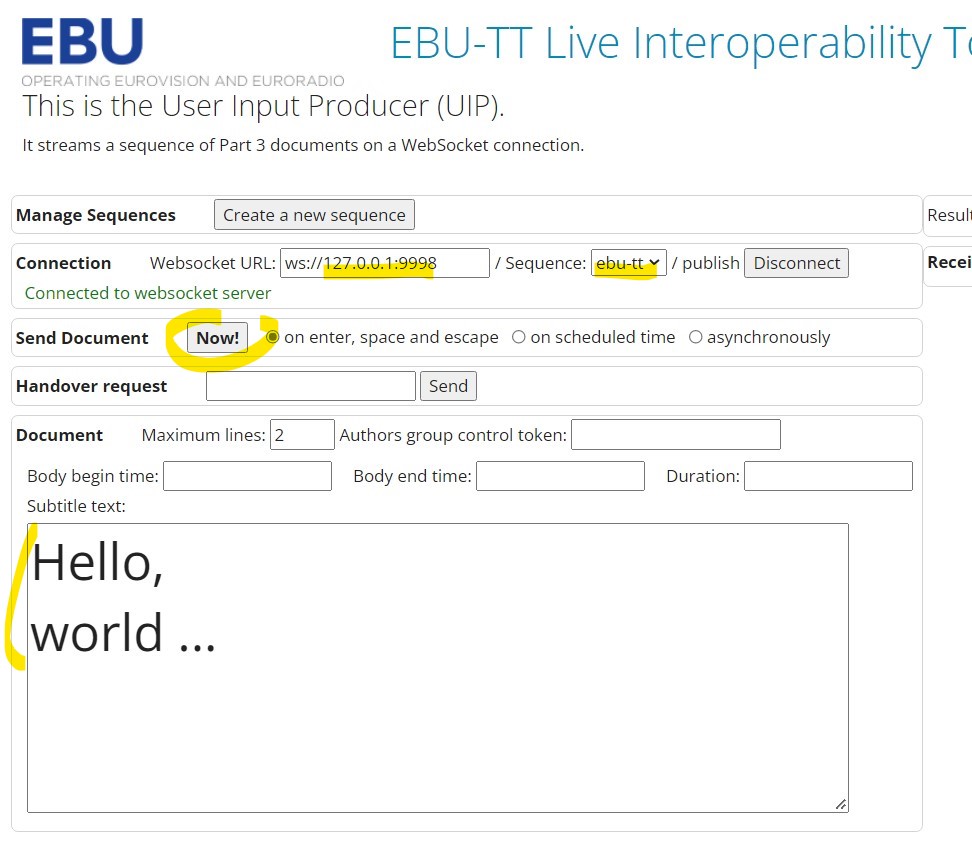
Notice that port 9998 is exposed. This is the port which we want to send subtitles to.
Subtitles are sent as ebu-tt part-3 documents carried over websocket.
Note that there is currently no security protocol, nor any authentication method, implemented by substance itself.
Let's use the User Input Producer from the EBU-TT Live Interoperability Toolkit to get started sending subtitles to substance.